


Cards Wallet - Digital Wallet
4.5141.00 Reviews
App Specs
- Version
- 1.43
- Updated On
- License
- Free
- Downloads
- 1,000,000+
- Developer
- SUNMARE DIGITAL TEKNOLOJI YAZILIM SANAYI TICARET
- Categories
- Lifestyle
- Platform
- Android
Screenshots
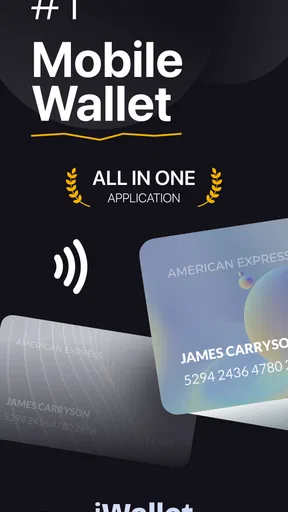
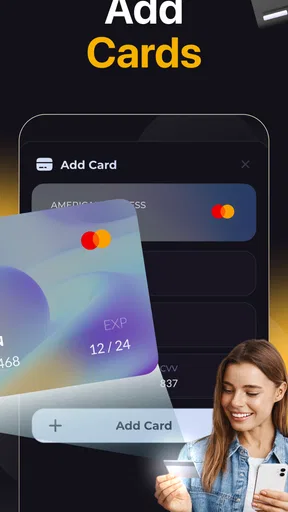
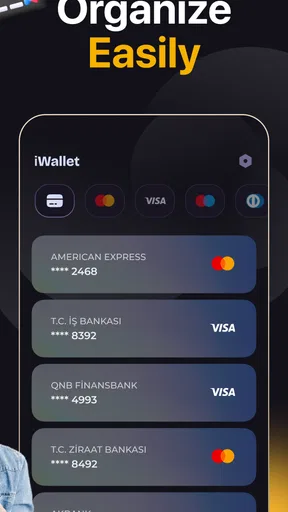
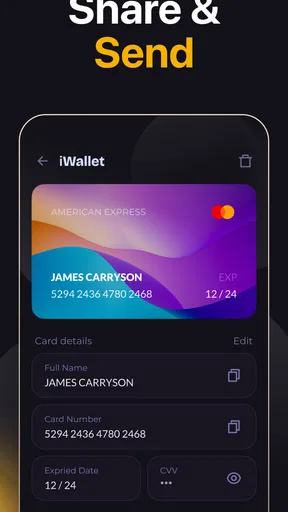
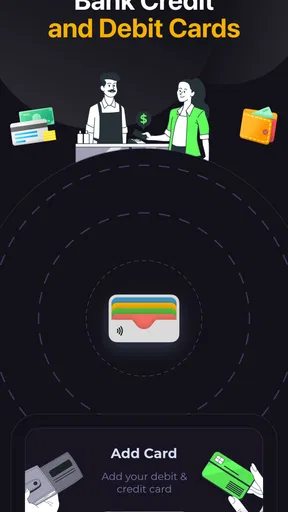
 Analysis by AppCompare
I judge a card-wallet app by a practical question: does it help me find the right card quickly without making me trust it with more than I’m comfortable storing on my phone? Wallet Safe Card: Card Wallet is aimed at people who want a digital place for payment cards, loyalty cards, barcodes and passes. I’d treat it as an organizer first, not assume it replaces every function of a bank’s payment app or a phone’s built-in wallet.
What I would decide before moving cards
My first decision would be what I actually need to retrieve when I’m out. If the main nuisance is remembering which shop’s loyalty barcode to show, collecting those cards in one place could make a real difference. If I need contactless payment, live balances or transaction controls, I would keep using the dedicated banking or payment tools that already provide those jobs. A stored card image or barcode is useful for reference, but it should not be confused with a payment credential that can be tapped at a terminal.
I’d also consider how many cards I reach for regularly. A phone-based collection makes more sense when I have several store cards, membership passes or other scannable items. If I carry only one or two cards and can find them instantly in my physical wallet, setting up another app may be needless housekeeping. The best reason to use this one is reducing search and clutter, rather than digitizing everything just because it can be done.
Where a dedicated card organizer earns its place
The attraction here is the mix of card types. Payment cards, loyalty cards, barcodes and passes can live together instead of being split between a wallet, screenshots and separate retailer apps. For someone who shops at a variety of places, that central collection can save time at checkout and make less-frequent cards easier to remember. The app is free to download, with optional in-app purchases, so I can see why trying the basic idea may appeal before deciding whether it fits my routine.
A useful habit is to add only the cards I expect to use, then arrange them around the way I look for them. A grocery loyalty card belongs somewhere I can reach quickly during a busy checkout; a pass used only for occasional trips can sit in a travel group. This small bit of curation matters more than building a huge digital archive. A crowded screen can recreate the same rummaging the app is supposed to reduce.
A small everyday test
Picture arriving at a shop with a queue behind you and realizing the loyalty card is in a drawer at home. If its barcode is saved in the app, I can open the organizer, find the relevant entry and present it without searching old photos or installing another store app. That is a modest convenience, but it is the kind that can make a tool feel worthwhile when it happens repeatedly.
For a trip, I’d use a separate category for passes and cards I’m likely to need along the way, while keeping everyday shopping items easy to reach. Before leaving, I’d check that each saved item is legible and that I can identify it by its label rather than relying on a tiny picture. This is a practical workflow, not a guarantee that every venue or scanner will accept a phone display; keeping an essential physical backup is sensible when access matters.
Worth Reading Before You Choose

Flipboard Shows What News Apps Must Do Beyond the Feed

Switching to Android Auto Means Rethinking Your Driving Routine

Google Calendar Makes a Crowded Week Easier to Manage

Ludo King Makes the Most of the Minutes Between Plans

Baby Panda World Brings Quick Play to Modern Phones, but Its Game Library Feels Busy

ESPN’s Live Game View Makes Following Close Games Easier
How it fits alongside other wallet options
The main comparison is not simply digital versus paper. A physical wallet is dependable when a card needs to be presented as a physical object and works without opening an app, but it adds bulk and can leave seldom-used cards behind. A phone’s built-in wallet or bank app may be more appropriate for supported contactless payments and payment management. A retailer’s own app can be better when someone relies on that retailer’s offers or account features. This card organizer is appealing in the space between those choices: keeping a broader assortment of card details and scannable items together for quick reference.
Where it may not be the right choice
I would not make this the sole home for a card I must have available in every circumstance. A phone can run out of power, be misplaced or be unavailable at a moment when a physical card would still work. Nor would I assume that saving a card in an organizer lets me pay with it by tapping; those are different functions. People who want balances, spending alerts, account transfers or payment controls should choose tools built for those needs, rather than expecting a card catalog to behave like a financial dashboard.
There is also a setup trade-off. Taking photos or entering details means spending time making each saved item recognizable and usable. If I rush through that step, a collection of indistinguishable entries is not much better than a stack of cards. I’d add a few at a time, check that barcodes can be read from the screen, and remove cards I no longer use. That approach keeps the organizer useful without turning setup into a project.
Privacy and sensible use
The word “safe” in the name is not, by itself, a reason to put every sensitive detail into an app. I’d look at the protection options available on my own device and avoid storing information I do not need for the app’s purpose. In particular, a card’s barcode or visual details may be enough for identification or scanning; treating the app as a place for every account secret would be an unnecessary risk. I’d also keep the phone’s normal lock enabled and think carefully before handing an unlocked device to someone else.
When a card is replaced or a pass expires, I’d update or remove the old entry rather than keeping several versions that could be mistaken for the current one. That simple maintenance step is easy to overlook, but it matters more in a digital collection because old entries remain searchable long after the physical card has disappeared. The same goes for travel: I’d verify important items before setting off and carry a backup when losing access would cause a real problem.
Who is most likely to appreciate it
I think this format suits someone with a handful of loyalty cards from different shops, occasional passes and a preference for keeping those items together. It can also help people who frequently switch bags or leave a traditional wallet at home, as long as they understand that a phone-based record does not replace every physical card. It is less compelling for someone already satisfied with a built-in wallet, or for a person who wants a full-service banking app rather than a way to organize card information.
The developer is SUNMARE DIGITAL TEKNOLOJI YAZILIM SANAYI TICARET. The app sits in the lifestyle category and has an average rating of 4.8 from around 9,300 ratings, with over 500,000 installs. It is free to download, rated for everyone, and its current version is 1.24; optional purchases are offered in the app. Those details suggest it has found an audience, but popularity alone would not decide it for me. I would still judge it by whether my own cards are easy to add, recognize and retrieve.
What switching really involves
Moving from a physical wallet does not have to be all or nothing. I’d start with loyalty cards and nonessential passes, use the app alongside my usual wallet for a while, and see whether I reach for it naturally. If it saves time, I can add more items. If I keep returning to the physical versions, I can stop without having rebuilt my whole routine around the phone.
That gradual approach also makes it easier to spot friction early: perhaps a barcode is difficult to scan, a card is hard to identify in a list, or I simply prefer the certainty of carrying the original. I would not migrate a critical card until I had tested the saved version in a low-pressure situation. The aim is to reduce hassle, not create a new point of failure at the checkout.
Why You’ll Love It
First off, let’s talk about convenience. The Wallet Safe Card: Card Wallet app is designed to store all your cards in one place. Whether it’s your credit cards, debit cards, or loyalty cards, this app has got you covered. I mean, who wants to carry around a bulky wallet when you can have everything you need right on your phone?
Easy Setup
The setup process is a breeze. After downloading the app, you just need to snap a picture of your card, and boom! It’s stored securely in your digital wallet. The app even allows you to manually enter card details if you're feeling a bit old school.
Security Features
Now, I know what you’re thinking: is it safe? Absolutely! The app uses high-level encryption to ensure your data is safe and sound. Plus, you can set up a PIN or use your fingerprint to access your wallet, adding that extra layer of security. It's like having a personal bouncer for your cards.
User Interface
The user interface is sleek and intuitive. Even if you’re not tech-savvy, navigating through the app is a piece of cake. Everything is laid out clearly, and you can easily find the card you need in seconds. It’s like having an organized wallet without the clutter.
Additional Features
One of my favorite features is the ability to categorize cards. You can create categories for work, personal, travel, and more. This makes it super easy to find exactly what you need without scrolling through endless cards. Plus, the app sends you reminders for card renewals and bill payments, which is a lifesaver for someone as forgetful as me.
"Having all my cards in one place not only makes life easier, but it also gives me peace of mind."
Who Can Benefit?
Honestly, I think anyone with a smartphone can benefit from this app. Whether you’re a frequent traveler who needs quick access to different travel cards or a busy professional juggling multiple credit cards, Wallet Safe Card: Card Wallet simplifies your life. No more fumbling through your wallet at the checkout line!
Room for Improvement
Of course, no app is perfect, and there are a couple of areas where I think the app could improve. For instance, integrating with other financial apps could enhance the user experience. Imagine linking your digital wallet directly with your bank account for real-time transaction monitoring. That would be a game-changer!
Final Thoughts
To wrap it up, Wallet Safe Card: Card Wallet is a fantastic app that has streamlined the way I manage my cards. It’s secure, easy to use, and incredibly convenient. If you’re looking to declutter your physical wallet and keep your cards safe and accessible, I highly recommend giving this app a try. Trust me, once you go digital, you’ll never look back!
Pros
- Secure encryption protects sensitive data.
- User-friendly interface for easy navigation.
- Supports multiple card types and currencies.
- Offline access ensures data availability anytime.
- Quick setup with seamless card addition.
Cons
- Limited customization for card categories.
- No cloud backup option currently available.
- Ads in the free version might be intrusive.
- Lacks integration with some banking apps.
- No biometric login for added security.
FAQs for Cards Wallet - Digital Wallet
What features does Wallet Safe Card offer for managing cards?
Wallet Safe Card provides a secure platform to store all your credit, debit, and membership cards in one place. It includes features like encryption for security, easy access through a user-friendly interface, and the ability to categorize cards for better organization. Additionally, it supports cloud backup to ensure your data is always safe.
How secure is Wallet Safe Card for storing sensitive information?
Wallet Safe Card prioritizes security by using advanced encryption protocols to protect your data. It ensures that only you have access to your information through biometric authentication options like fingerprint and facial recognition. Regular updates are also rolled out to address any potential security vulnerabilities.
Is Wallet Safe Card available for both Android and iOS devices?
Yes, Wallet Safe Card is available for download on both Android and iOS platforms. The app is optimized to work seamlessly across different devices, ensuring a consistent user experience. You can find it on the Google Play Store for Android devices and the Apple App Store for iOS devices.
Does Wallet Safe Card offer any backup options for my stored cards?
Wallet Safe Card includes a cloud backup feature that allows you to store your card information securely online. This ensures that you can recover your data in case your device is lost or damaged. Users have control over when and how often backups are performed, providing an added layer of security.
Are there any costs associated with using Wallet Safe Card?
Wallet Safe Card offers both free and premium versions. The free version includes basic features, while the premium version unlocks additional functionalities such as advanced security options, ad-free experience, and priority customer support. Users can choose the version that best suits their needs and budget.


